 3kode e-commerce
How to Send Newsletter
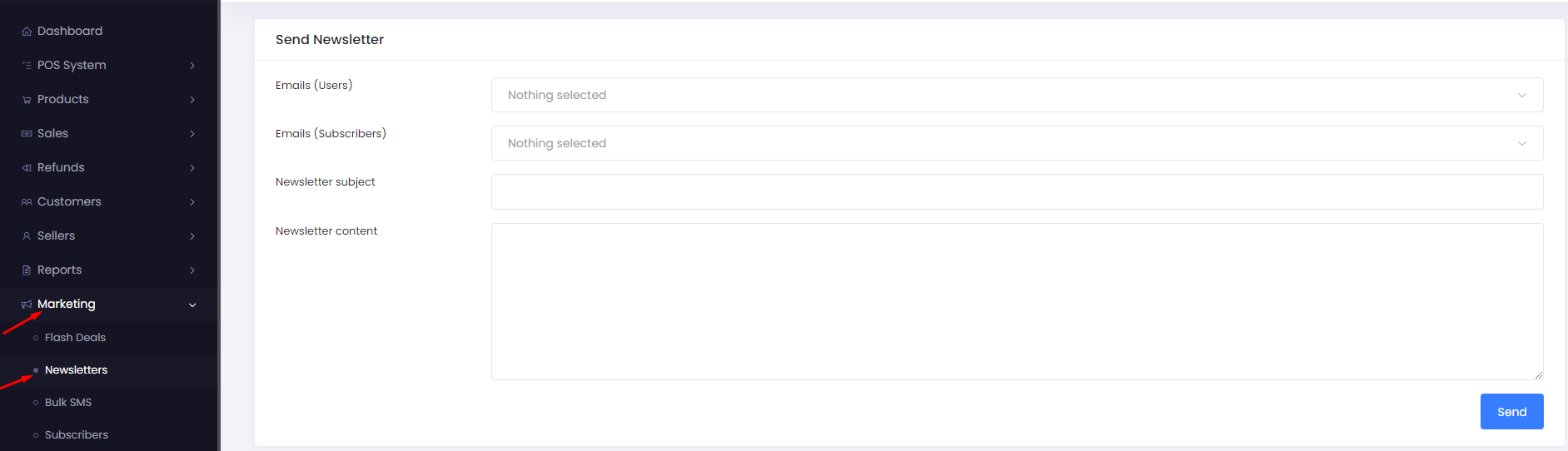
To send a newsletter follow the steps below, Navigate Marketing > Newsletter
- Select user’s email or subscribers email or both .
- Insert sender email address .
- Insert newsletter subject .
- Write the content. In this text area admin can add an image, link , video , table or any text formatting if needed.
Click on “send”.
Our Team
Say hello to our awesome team.
